Admin Panel Guide
Log in at /admin/login. This page is your control room — here's what each area does.
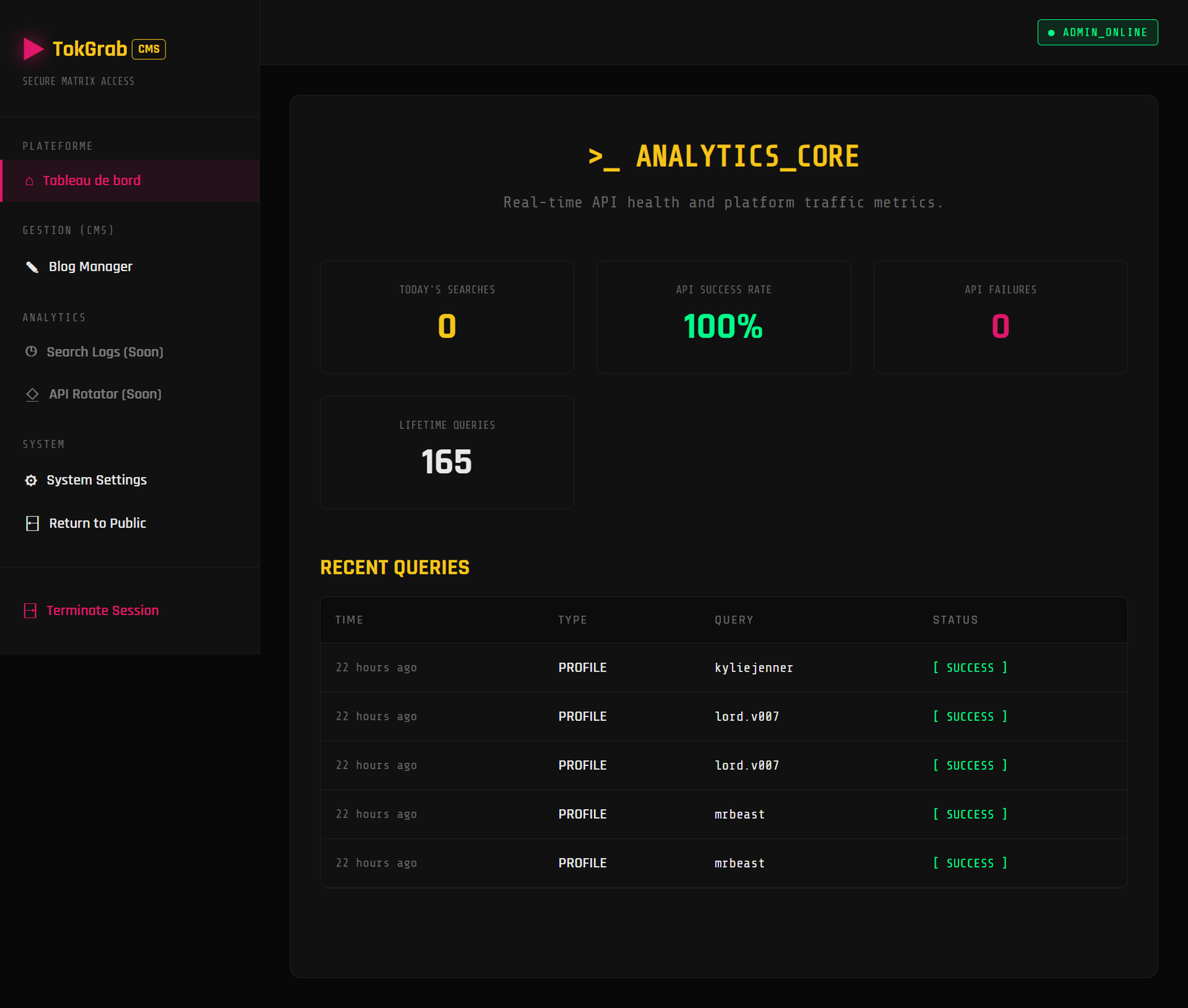
Dashboard (/admin)
The analytics home. It shows:
- KPI cards — today's searches, API success rate, failures, lifetime queries, unique and returning visitors, average queries per visitor
- 7-day search trend (SVG area chart)
- API health donut (success vs failure)
- Top searched profiles (last 30 days)
- Top countries (with flags)
- Recent query log with filters (range, type, status) and search
- Export the query log to CSV
You may also see:
- SETUP REQUIRED banner when no API key is configured yet — with a shortcut to set one up.
- Latest from TokGrab announcement card (seller updates), dismissible per item.
Content
| Page | What it does |
|---|---|
| Custom Pages | Create/edit pages (About, Contact, legal, landing pages), set SEO, and choose header/footer placement |
| Blog | Write and publish blog posts with SEO fields |
| FAQs | Manage FAQ entries and toggle which appear on the home page |
| Subscribers | View/export newsletter subscribers (from the footer signup) |
Growth
| Page | What it does |
|---|---|
| Extensions Marketplace | Apply themes, upload theme/plugin ZIPs, manage plugins |
| SEO Engine Pro | The premium SEO module (locked until installed) |
| API Usage | Per-key usage, quota, latency, and health from provider rate-limit headers |
Re-accessing SEO Engine Pro
The SEO Engine Pro module page lives at /admin/seo-engine-pro and is always reachable from
Admin sidebar → SEO Engine Pro, or from Extensions → Plugins → Open Module.
- If the plugin is not installed, it shows a locked upsell (Buy + install ZIP).
- If the plugin is installed, it shows the full SEO dashboard.
Settings (/admin/settings)
All configuration in one place, grouped into sections (Branding & Support, Appearance, Homepage Appearance, Menu & Layout, Footer Content, API Providers, Bot Protection, SEO & Analytics, Monetization, Affiliates, Social Profiles, SMTP Mail). Each section has its own Save action. See the Configuration Guide.
System
| Page | What it does |
|---|---|
System Health (/admin/health) |
Environment + integration checks (PHP/extensions, writable paths, API key, SMTP, Turnstile) with plain-language explanations |
| Account Settings | Update your name/email, change password, apply a theme, and clear caches |
Good to know
- No default admin credentials are ever seeded — your account is created during install.
- Sensitive values (provider keys, SMTP password, Turnstile secret) are stored encrypted in the database and never shown in full.
- Ad slot content and custom page content are sanitized before saving.
- The admin area is protected by authentication, CSRF protection, and optional Cloudflare Turnstile on the login form.